Hello, sign in to your account
Customer Service Help
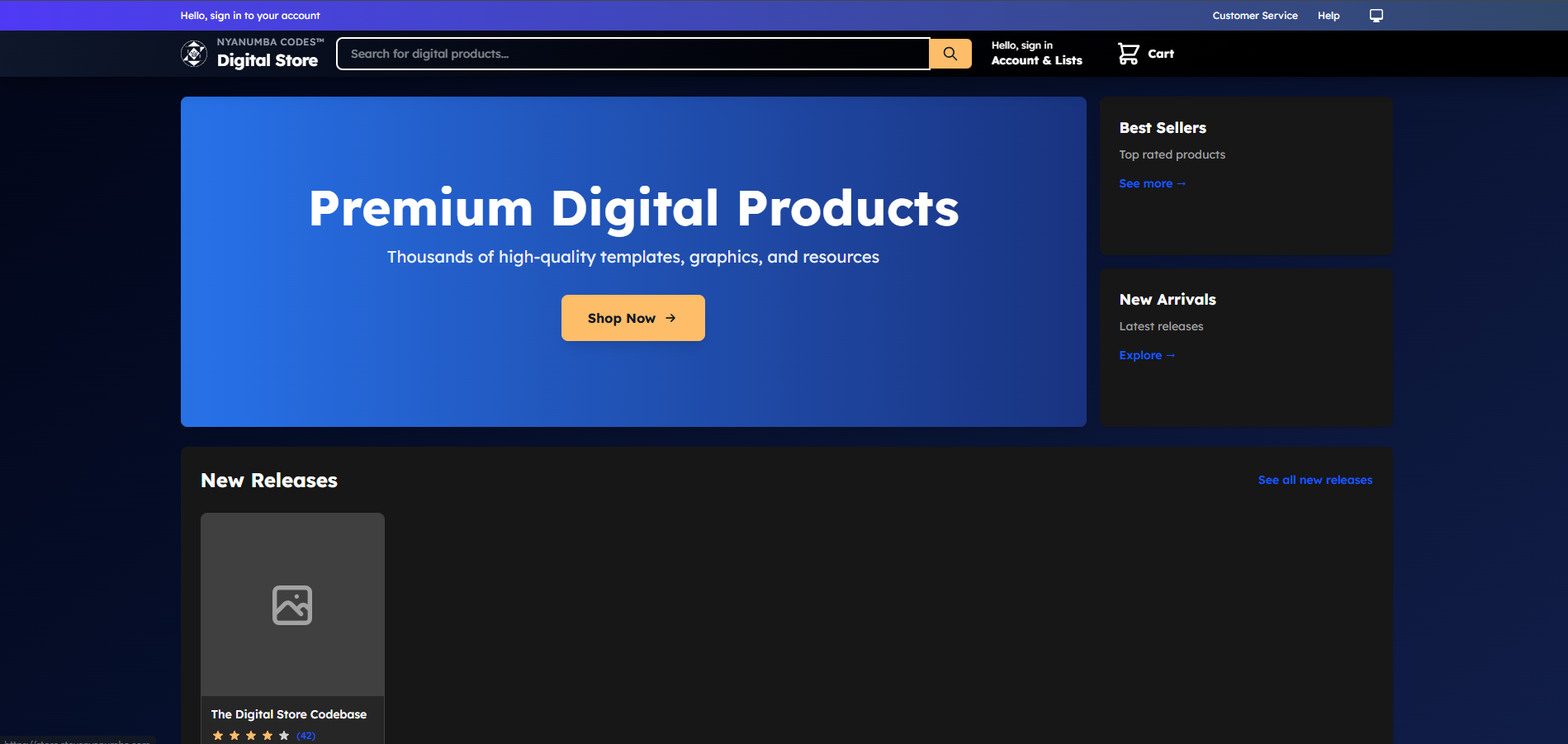
Nyanumba Codes Digital Store
Nyanumba Codes Digital Store Nyanumba Codes Digital Store Nyanumba Codes Digital Store Nyanumba Codes Digital Store Nyanumba Codes Digital Store

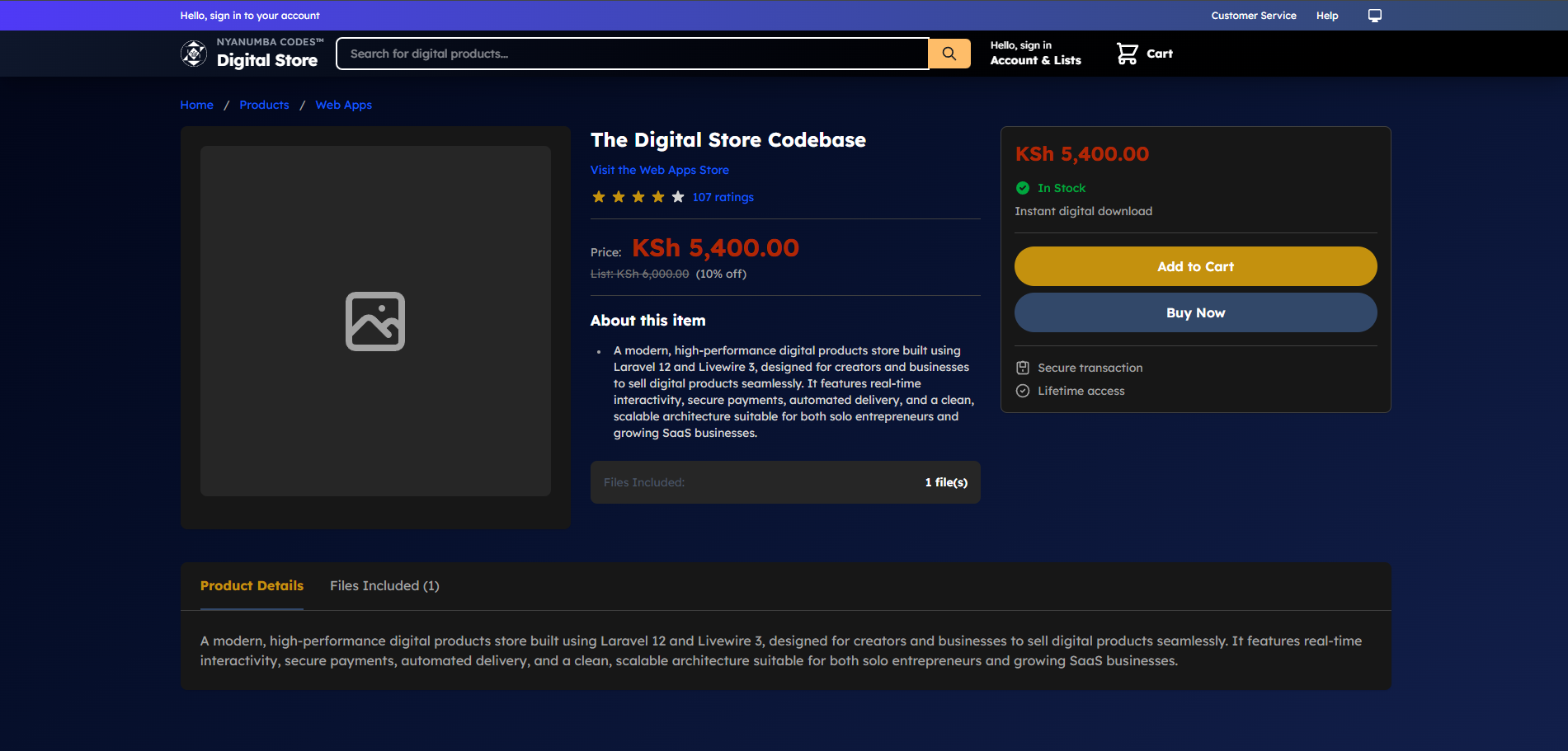
Nyanumba Codes Digital Store

474 ratings

Price: KSh 18,000.00

About this item

  • A modern, high-performance digital products store built using Laravel 12 and Livewire 3, designed for creators and businesses to sell digital products seamlessly. It features real-time interactivity, secure payments, automated delivery, and a clean, scalable architecture suitable for both solo entrepreneurs and growing SaaS businesses.
Version: 1.2.20
Files Included: 2 file(s)
KSh 18,000.00
In Stock

Instant digital download

Secure transaction
Lifetime access
The Digital Store is a complete, production-ready platform for selling digital products such as source code, templates, ebooks, videos, licenses, and downloadable assets. Built on Laravel 12 with Livewire 3, it delivers a fast, reactive user experience without the complexity of a separate frontend framework.
This system is ideal for developers, content creators, educators, and startups looking to launch a professional digital storefront with minimal setup and long-term scalability in mind.
Key Highlights
  • Modern Laravel 12 Architecture
    Leverages the latest Laravel features, best practices, and security standards to ensure long-term maintainability and stability.
  • Livewire 3 Powered UI
    Enjoy real-time interactivity with no page reloads. Actions like adding to cart, checkout, validation, and downloads feel smooth and instant.
  • Digital Product Management
    Create, update, organize, and publish digital products with pricing, previews, and download limits.
  • Secure Checkout Flow
    Provides a streamlined checkout experience with safeguards against unauthorized access and fraudulent downloads.
  • Automated Digital Delivery
    Purchases trigger instant access or download delivery, eliminating manual fulfillment.
  • User Accounts & Purchase History
    Customers can log in, view purchased items, and re-download eligible products.
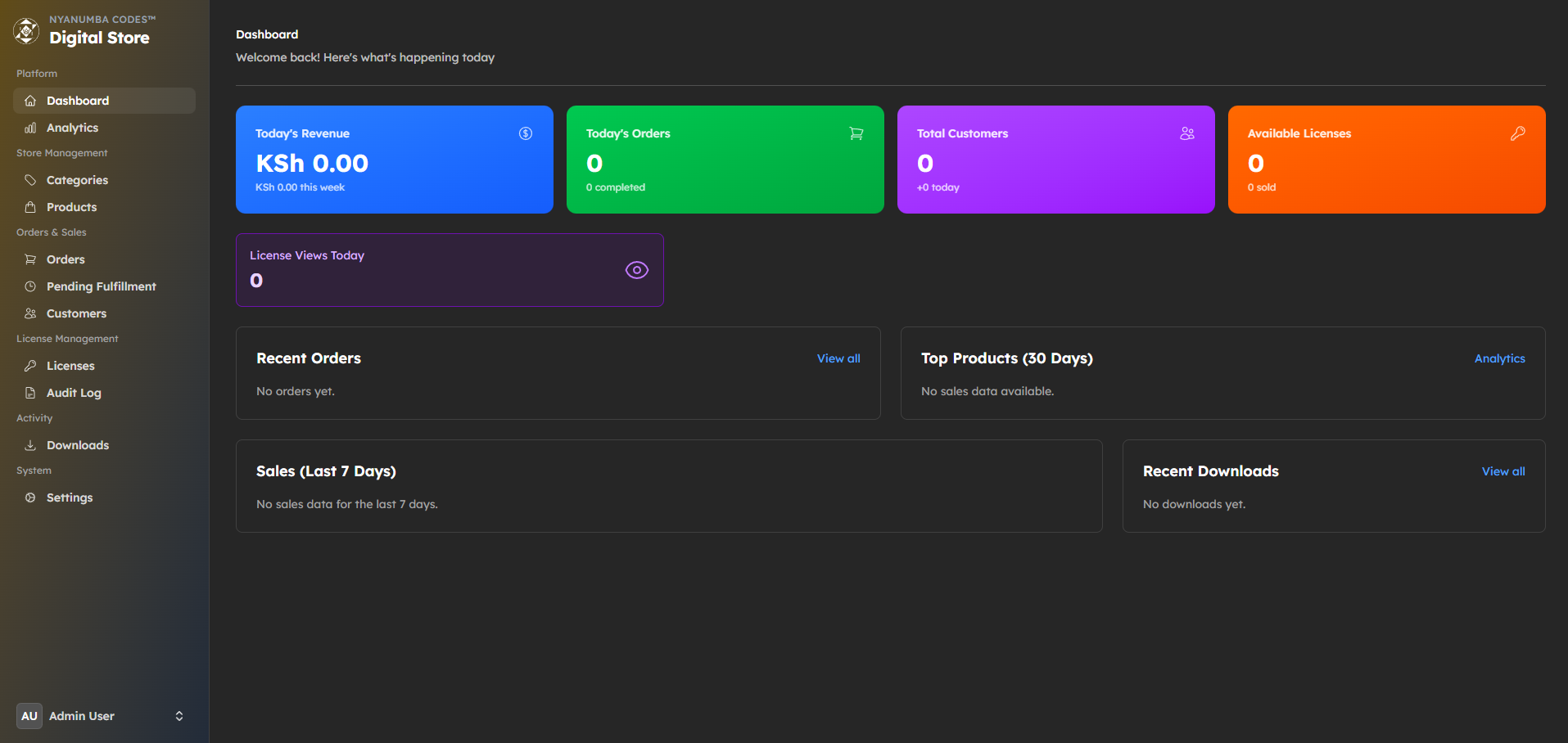
  • Admin Dashboard
    Manage products, users, orders, and sales analytics from a centralized control panel.
  • Scalable & Extendable
    Designed to evolve into a larger platform—add subscriptions, licensing systems, APIs, or mobile apps with ease.
Ideal Use Cases
  • Selling source code, themes, or plugins
  • Distributing ebooks, PDFs, or digital guides
  • Offering paid downloads or educational materials
  • Launching a micro‑SaaS or digital marketplace
  • Supporting online communities with premium content
Why This Digital Store?
Unlike generic ecommerce platforms, this solution is developer-first, flexible, and fully customizable. You own the codebase, data, and infrastructure—no vendor lock‑in, no transaction limits, and no unnecessary bloat.
Whether you’re launching your first digital product or scaling an existing brand, this Digital Store provides a solid foundation that grows with your business.
If you want, I can also:
  • Optimize this copy for Gumroad, Lemon Squeezy, or your own landing page
  • Rewrite it for a technical audience or non‑technical buyers
  • Add a feature checklist, FAQs, or pricing section

What's included

Digital Store.pdf

PDF
After purchase

nycdz-digital-store-v1.2.20.zip

Archive
After purchase

Download Instructions

How to Download & Install the Digital Store (Laravel Application) 1. Download the ZIP file Purchase the Digital Store – Laravel 12 & Livewire 3. Click the Download button on the order page or in your email. Save the .zip file to your computer (e.g. digital-store-laravel.zip). 2. Extract the Project Locate the downloaded .zip file. Right-click and select Extract / Unzip. You should now have a project folder, e.g. digital-store-laravel/. 3. Move It to Your Development Environment You can run it: Locally (Laravel Sail, Valet, XAMPP, Laragon, etc.) Or on a server (Linux/VPS, cPanel, Ploi, Laravel Cloud, etc.) Copy or upload the extracted folder to your desired location, for example: Local: ~/Sites/digital-store-laravel Server: /var/www/digital-store-laravel 4. Server Requirements Make sure your environment meets the typical Laravel 12 requirements: PHP 8.2+ Composer installed MySQL / MariaDB or another supported database Node.js & NPM (if you want to recompile frontend assets) 5. Install PHP Dependencies In your project folder, run: composer install This will install all Laravel and package dependencies. 6. Set Up the Environment File Duplicate the example env file: cp .env.example .env Open .env and update at least: APP_NAME="Digital Store" APP_URL=http://your-local-domain.test DB_DATABASE=your_database_name DB_USERNAME=your_db_user DB_PASSWORD=your_db_password (Also configure MAIL_, QUEUE_, CACHE_ etc. later as needed.) 7. Generate App Key Run: php artisan key:generate 8. Run Migrations (and Seed if Included) Create the database (empty) in your DB tool (phpMyAdmin, TablePlus, etc.), then run: php artisan migrate If demo data or default admin user is included, also run: php artisan db:seed (or the specific seeder provided in the documentation). 9. Build Frontend Assets (If Needed) If assets are not already compiled, run: npm install npm run build For local development, you can also use: npm run dev 10. Storage Link Ensure public access to stored files: php artisan storage:link 11. Set Correct Permissions (Linux Servers) On a Linux/VPS server, make sure storage and bootstrap/cache are writable: chmod -R 775 storage bootstrap/cache (Adjust group/user according to your server setup.) 12. Configure Your Web Server Point your web server document root to the public/ folder of the project, e.g.: /var/www/digital-store-laravel/public Then visit: Local: http://digital-store.test (or whatever domain you configured) Server: your live domain, e.g. https://yourdomain.com 13. Log In to the Admin Panel Use the default admin credentials provided in your purchase/readme (e.g. in the docs or README.md) to log in and start configuring the store (products, categories, payments, etc.).